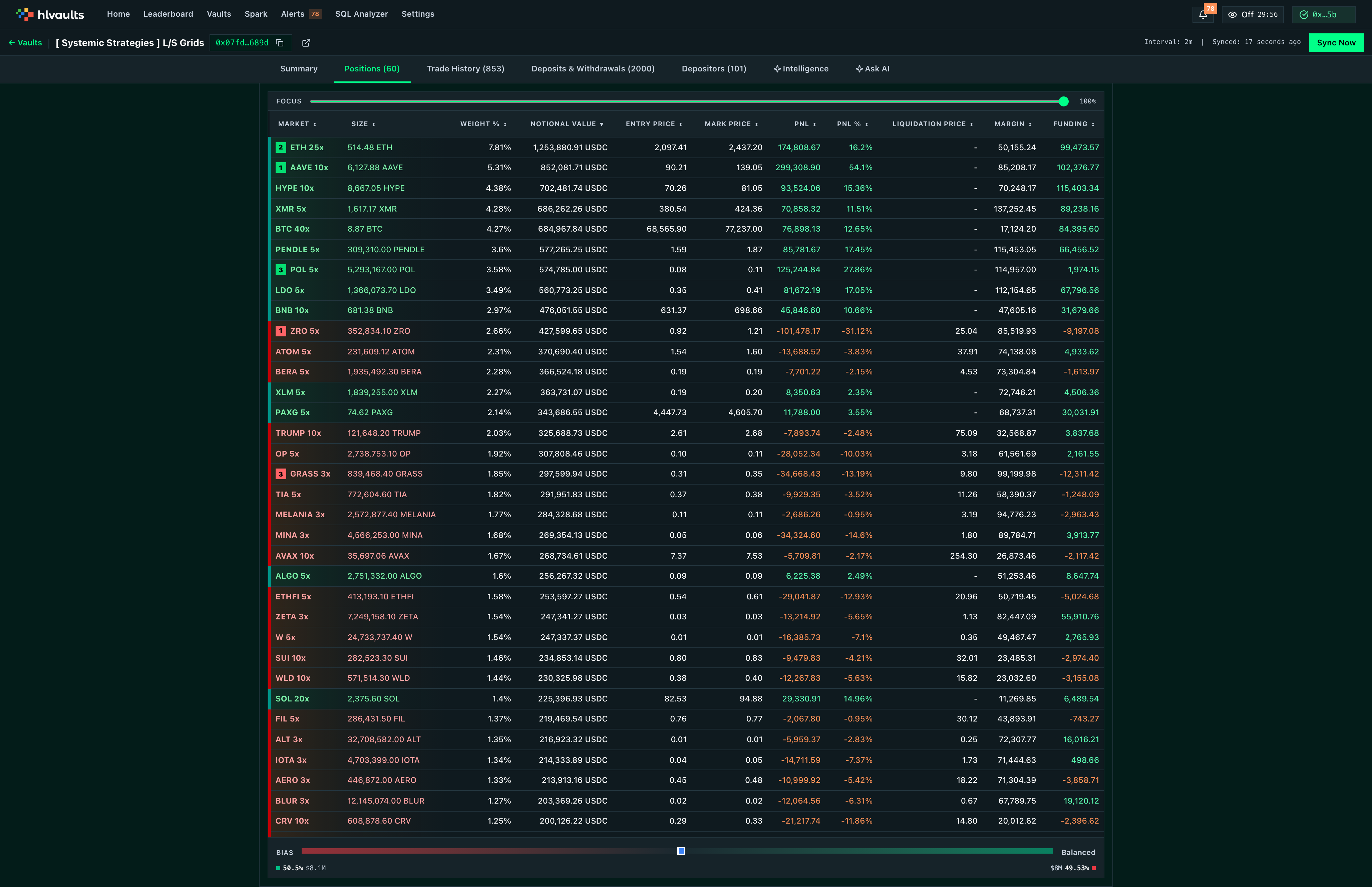
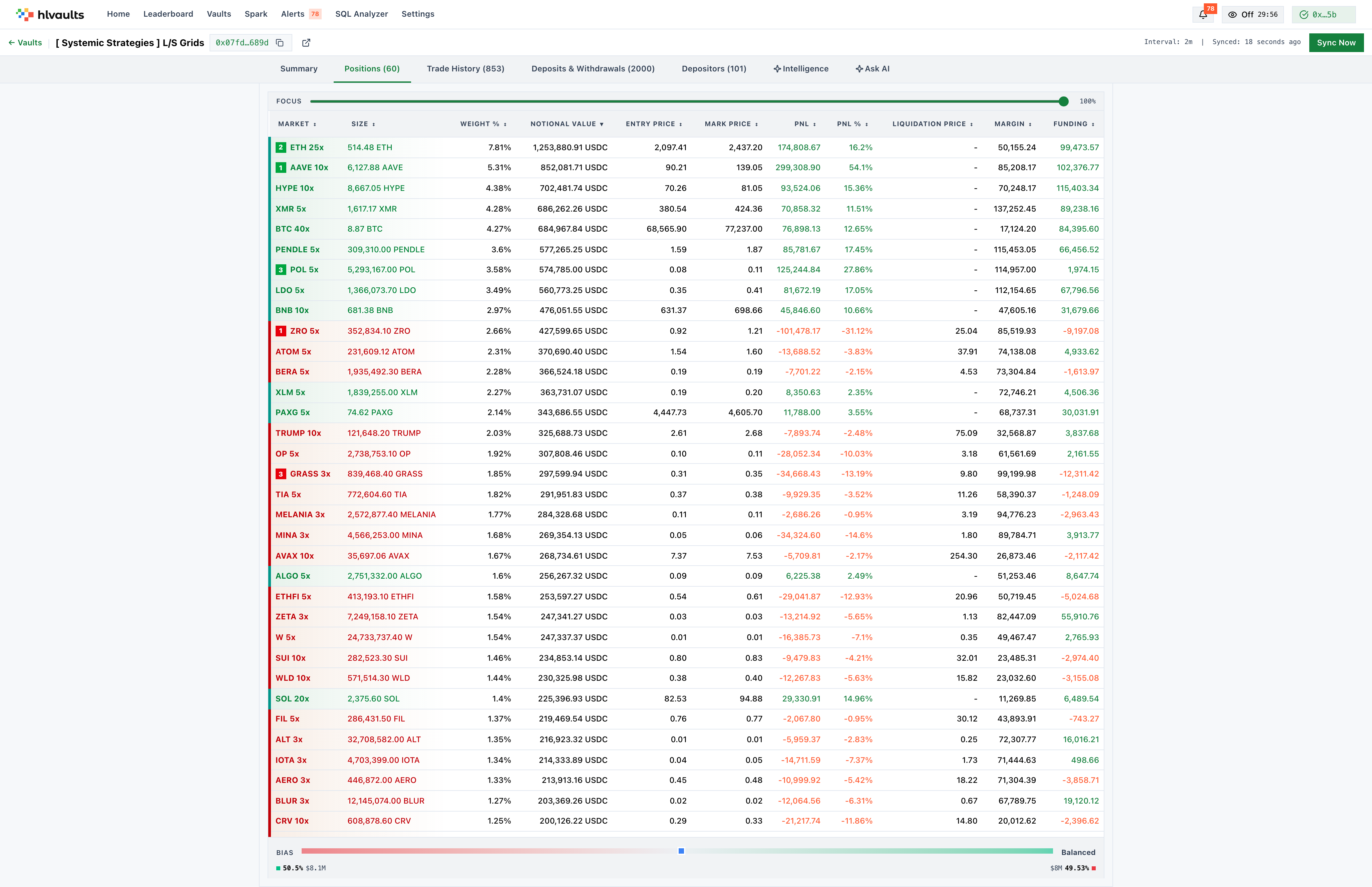
Positions
The Positions tab lists every open position the vault is currently holding. This is where you see what the leader is betting on and how they’re structuring those bets.
What each column tells you
Section titled “What each column tells you”| Column | What it measures |
|---|---|
| Coin | The asset being traded. |
| Direction | Whether the position is long or short. Color-coded for quick scanning: long positions appear in teal or green; short positions in red or orange. |
| Size | Position size in USD. Gives you a sense of conviction — larger sizes relative to equity signal higher confidence or concentration. |
| Entry Price | The average price at which the position was opened. |
| Mark Price | The current market price used for PnL calculations. |
| Position Value | Current total value of the position. |
| Unrealized PnL | Unrealized profit or loss in USD. |
| PnL % | Return on the position as a percentage. More useful than absolute PnL for comparing conviction across positions of different sizes. |
| Margin Used | The amount of margin allocated to this position. |
| Leverage | The leverage applied to the position. Higher leverage amplifies both gains and liquidation risk. |
| Liquidation Price | The price at which the position would be liquidated. The distance between mark price and liquidation price is a direct measure of safety margin. |
| Cumulative Funding | Total funding payments made or received over the life of the position. Positive values mean the position has paid funding; negative values mean it has received funding. |
Reading the table
Section titled “Reading the table”Rows are color-coded by direction, making it easy to assess the vault’s net bias at a glance. A table heavy on teal means the leader is bullish; heavy on red or orange means bearish.
The top 3 most profitable and top 3 most unprofitable positions carry rank badges. These draw attention to the leader’s best and worst calls.
Sort by Liquidation Price to identify the positions closest to being wiped out. Sort by Unrealized PnL to see which positions are currently working and which aren’t.
When to use this tab
Section titled “When to use this tab”Use the Positions tab whenever you want to understand a leader’s current market exposure. Before depositing, it is worth checking whether the vault’s positioning aligns with your own market view. After depositing, check periodically to confirm the leader is still executing the strategy you bought into.
Limitations
Section titled “Limitations”The Positions tab shows open positions only. Closed positions appear in the Trade History tab.
Free Available on all plans. Free accounts see a preview with the option to upgrade for full detail.